Wednesday, 19 October 2016

Main Task: Music Video

For my main task, I have decided to create a music video. I have had a good idea of what kind of storyline I want to take place in my music video since we began the pre lim task when working in a group and that I definitely wanted to take on this task alone.

I want there to be a storyline based around a couple/love triangle and they are all trying to find out what they really want and whether any love will last. I haven't made a definite decision on what song I want to use however I do want to use a fairly slow, Indie Pop song as opposed to an upbeat Pop song or any other genre. I've decided to do this as I believe matching the genre to the storyline, mood and atmosphere is very important because, just like in Films, I want the audience to empathise and emote to the song's lyrics as well as the music video content (acting).


Tuesday, 18 October 2016

Main Task: Choosing a song

After figuring out that I wanted a slow, Indie pop song to be featured as my main track in my music video, I have come to a definite decision that I will use "Let it all go" by Birdy ft Rhodes.

I have decided to use this song as it is one of my favourite songs, isn't too well known (meaning there wont be a pre-conceived idea as to what my video will look like) and it captures the exact mood and feeling I want my music video to present to the audience.

Monday, 17 October 2016

Main Task: Inspiration

Digipak designs:


Poster designs: 

 
 Camera Angles/Framing:


Saturday, 15 October 2016

Music Video: Review

After watching our Pre-Lim music video, we decided to pick out each part of it that we liked and come up with some aspects of the video that we would improve if we were to redo the task.
Aspects we liked included:

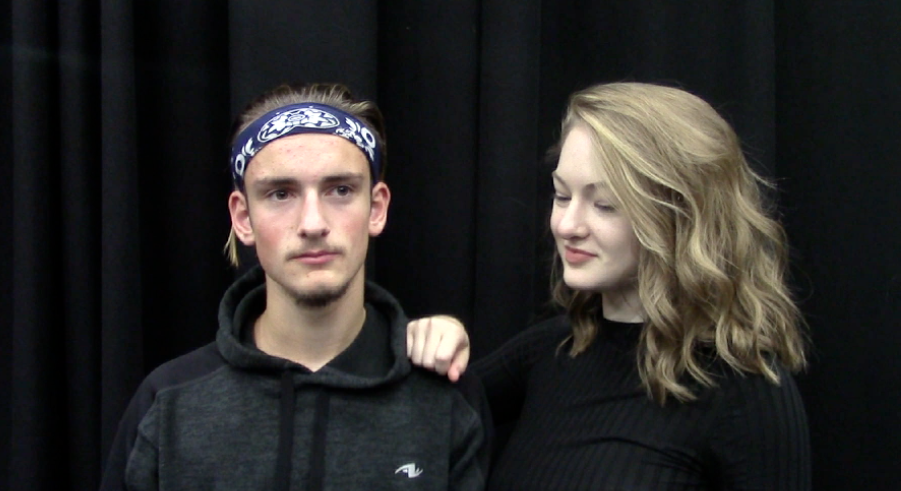
  • We really loved the camera angles and shots we had used in our music video, especially this particular shot as it added real visual aesthetics for our audiences and was different to most conventional shots used in music videos. 

  • We really like the choice of using black and white filter in each piece of our footage for our music video as it gave the actual shot additional visual aesthetic appeal for our audience.
  • We also really liked our choice of song as it gave our actors a lot to work with and decide on a particular story line/choreography. It also influenced the on screen chemistry between the actors so they weren't coming across awkward during their specific sections of the music video they featured in together.
Aspects we'd improve if we were to recreate the video would be:
  • We realised once we had completed our music video that the initial starts almost to abruptly causing our actress to look slightly rushed and unsteady. We would change this by starting the shot with a fade from black into our first shot of our actress.

  • We decided after analysing our video very closely that the actors lip syncing could be slightly more exaggerated in order for the lyrics of the song to be emphasised. 


Friday, 14 October 2016

Wednesday, 5 October 2016

Music Video: Organising Our Footage Pt 2

Once we had all of our footage in the right order in which would be chronological to the music, we then started to think about what kind of visual effects we wanted on our video e.g. black and white, slow motion, and whether we wanted any transitions between each section of the music video. We had already previously decided to go with a complete black and white video and keeping everything within the music video looking monochromatic, therefore, we changed every part of our footage into black and white using Clip Adjustments.


We decided not to use any kind of transitions to connect our footage as we wanted it to look snappy and quick because the song is a very upbeat, snappy, pop genre. We did decide to speed up some parts of our footage in order for it, either, to fit in time with a certain part of the song and/or to overall create interesting visual effects for the audience.


We also had to mute each one of our clips so that we (the audience) couldn't hear any background sounds while playing the music track over the top.


Once we had muted each clip, we then inserted our specific track (Problem by Ariana Grande ft Iggy Azalea) and cut it down in order for it to match up perfectly with the lip syncing by our actors seen in each part of our footage.


After we had perfected each piece of film for our 30+second music video, we then added a few bloopers at the end for our audiences to get a look into exactly how some of the recording process went and how we progressed in order to create a professional looking piece of footage.


Music Video: Organising Our Footage Pt 1

We put all of the footage we filmed onto one computer and transferred it all into iMovie. As we had quite a lot of footage, we decided to initially discard any footage we knew we wouldn't use for the finished product e.g. practice shots, footage of incorrect costume, first attempts at lip syncing.

We then watched each piece of our footage we had left to use and came up with a good idea of the order in which we'd play them in to match up with where our chosen song would begin and end. This was done so that we could then put those specific pieces of footage into a real on iMovie and begin our editing process also.